Real Estate App Design

Project Overview

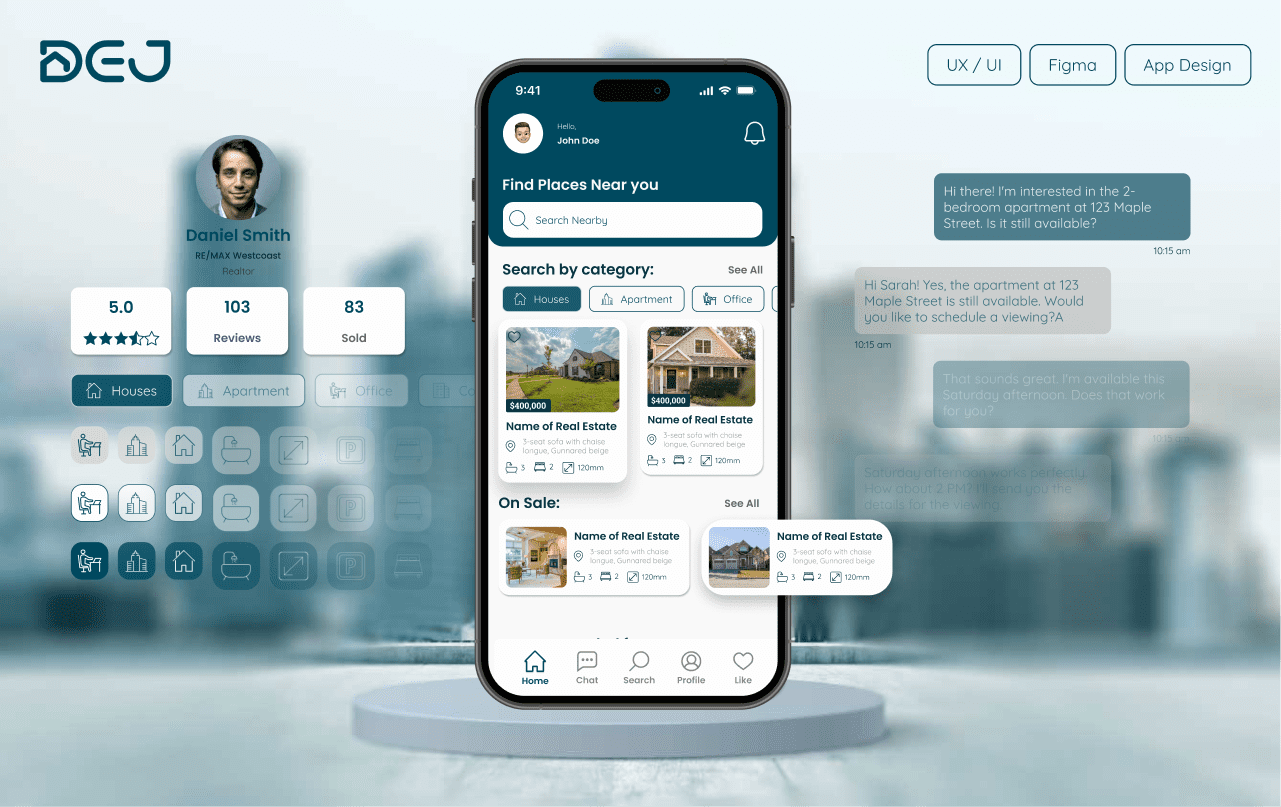
The Dej project is a real estate mobile app designed to simplify property search and property management for both renters or buyers and owners or realtors. The goal is to create a user-friendly experience where users can browse extensive listings, receive relevant recommendations, and manage their real estate needs more efficiently. This case study focuses on building a clear, intuitive, and visually engaging mobile experience for a complex market.

Tools / Skills:
  • Figma
  • Android Studio
  • Illustrator
  • Photoshop
Role
  • UX-UI Designer
  • Branding
Date:
2024
Collaborator
Yooran Kim
circle-icon 1

Problem

  • Limited Listings:  Users often struggle with finding suitable properties due to insufficient listings on traditional platforms.
  • Complex Navigation:  Complex Navigation: The real estate market can be overwhelming and confusing, especially for new users.
  • Disjointed Communication:  Users need to use multiple apps for communication and scheduling with property owners or realtors.
  • Outdated Information:  Listings may lack up-to-date information, leading to wasted time and frustration.
circle-icon 1

Solutions


  • Extensive Listings:  The app offers a comprehensive range of property listings, providing users with numerous options.
  • User-Friendly Interface:  An intuitive design guides users through a streamlined search process, helping refine search criteria and find relevant listings easily.
  • Updated Information:  Ensuring property listings are constantly updated with the latest details, including availability and pricing.
  • Integrated Communication:  Allowing realtors to set meetings and viewing appointments directly through the app, eliminating the need for additional apps. This approach leverages key UI/UX principles such as user-centered design, acc
circle-icon 1

Work Process

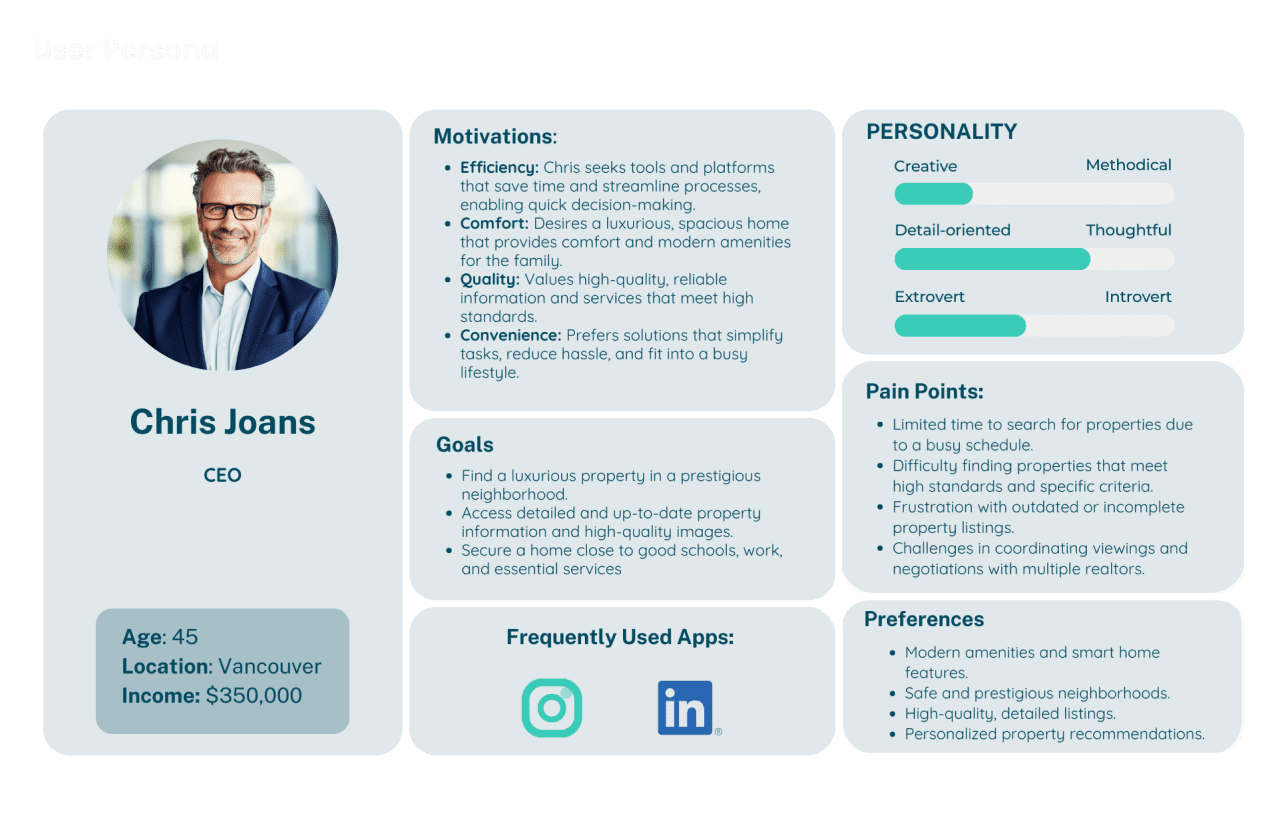
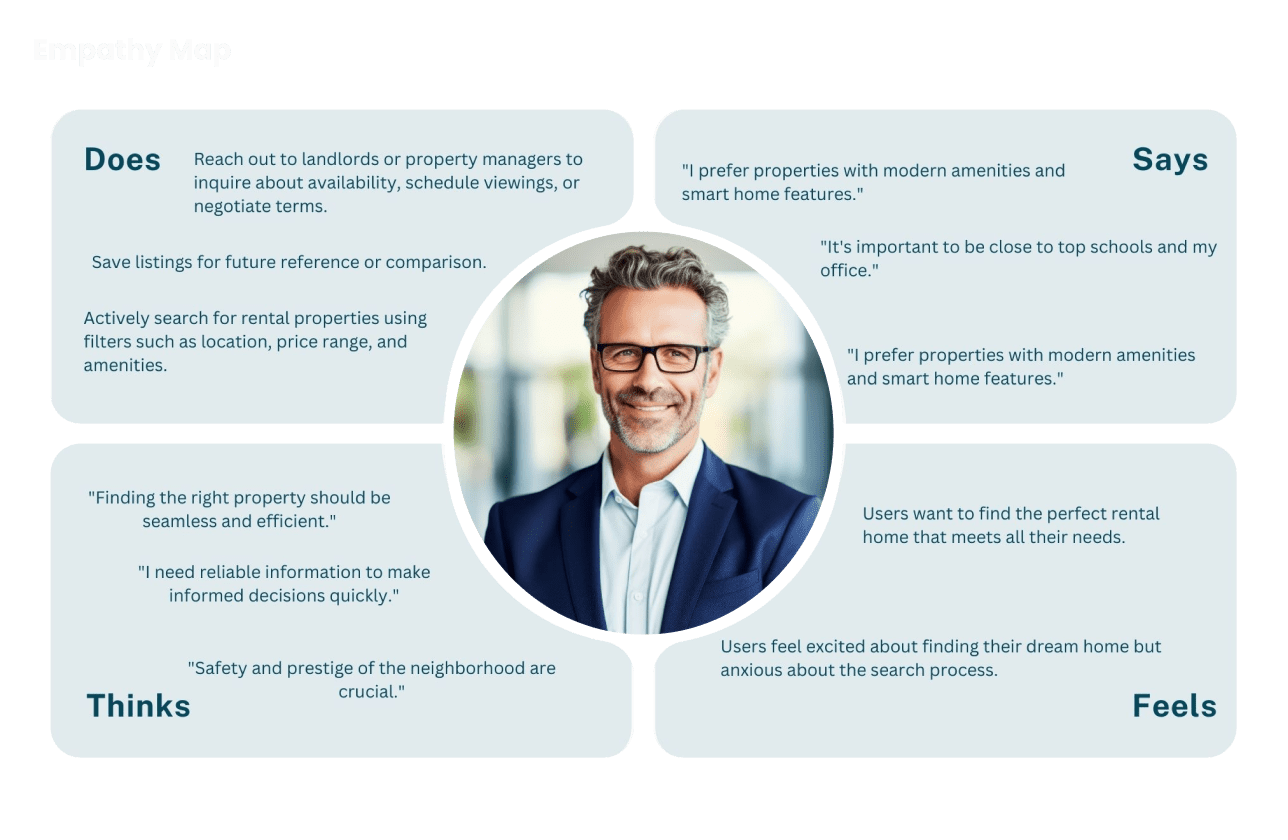
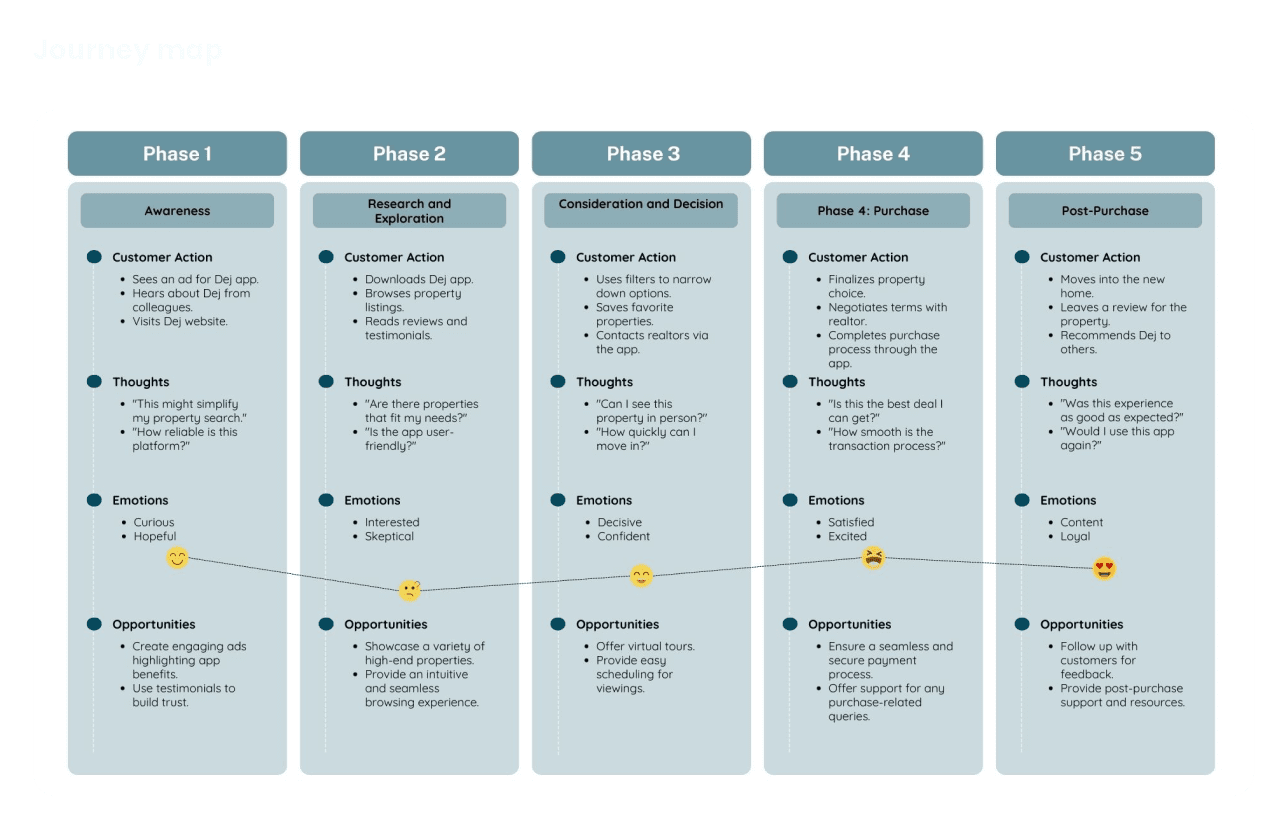
My work process focused on understanding user needs and pain points through research, exploring possible solutions through ideation, and refining the experience through visual design and iteration. The project moved through research, brainstorming, and design phases to create a more intuitive real estate app experience. Research included empathy work, competitor analysis, and user stories. Brainstorming covered user personas, empathy maps, journey maps, and user flows. The design phase included brand design, a design system, component creation, high-fidelity wireframes, usability testing, and iteration based on feedback.

circle-icon 1

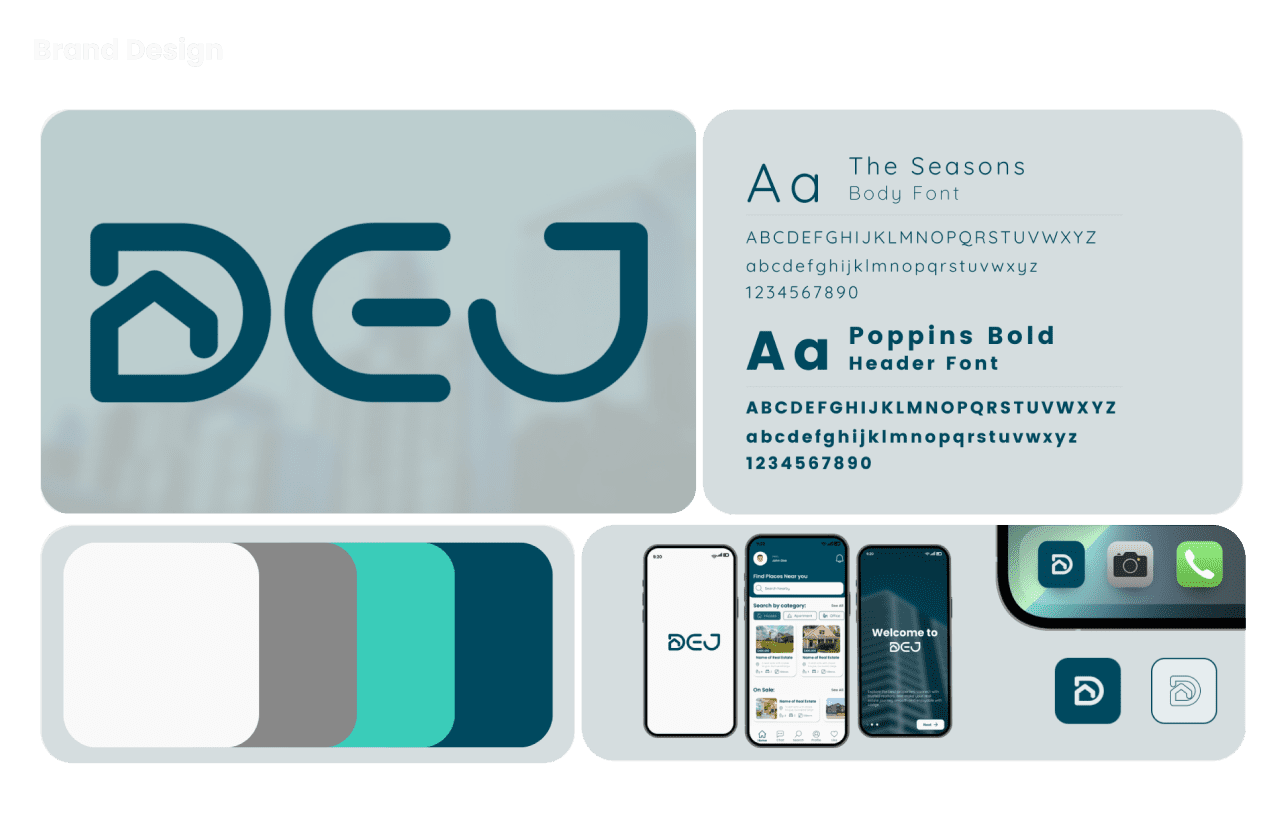
Visual Design System

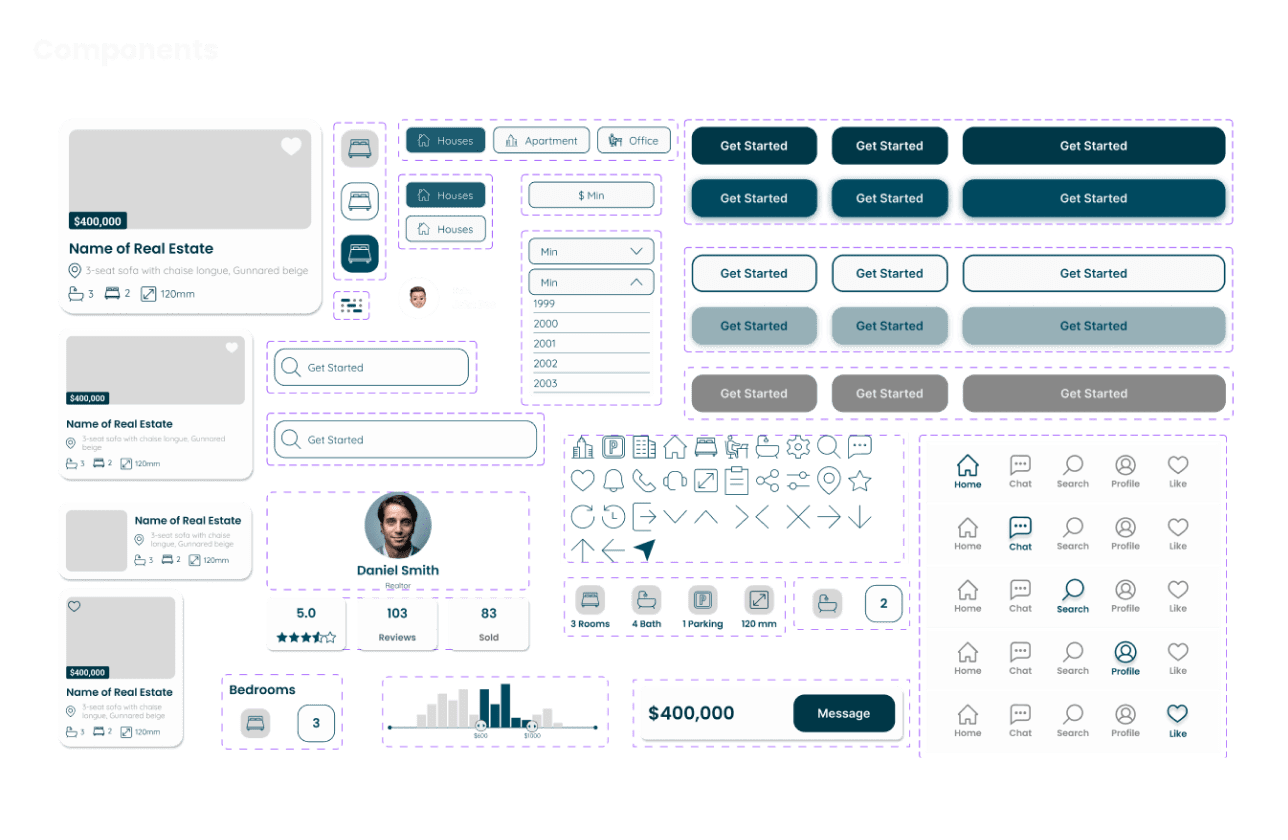
After defining the user journey and feature structure, the focus shifted to building a consistent visual language for the app. This stage included developing the brand direction, establishing UI components, and preparing the interface for high-fidelity design. This helped create a more cohesive and scalable mobile product experience.
This is a light clean-up of the page’s design-stage content.
The design stage included brand design, component creation, high-fidelity wireframes, usability testing, and iteration based on feedback. These elements helped shape a more polished interface and a stronger design system for the app.
circle-icon 1
circle-icon 1
circle-icon 1

Screen Walkthrough

Onboarding Screens

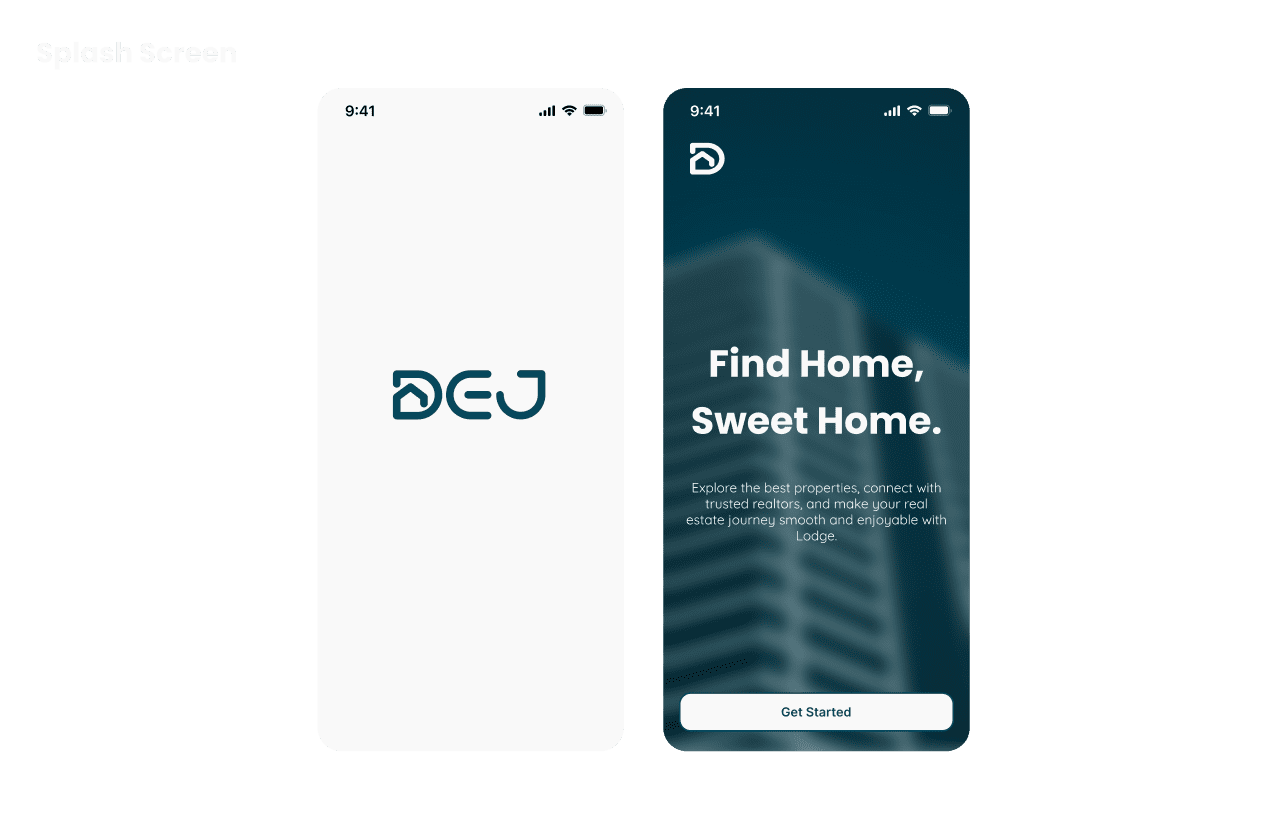
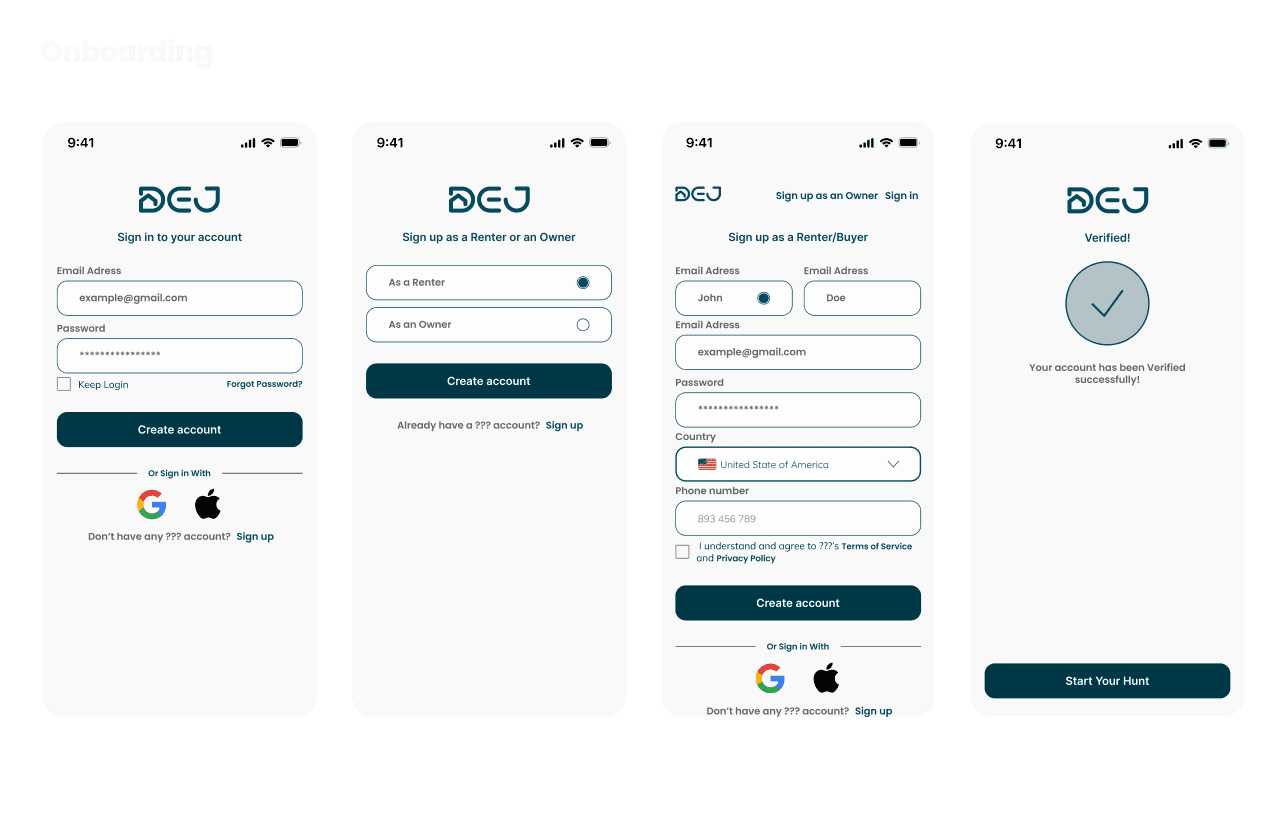
The onboarding screens provide users with a seamless and intuitive experience, ensuring they feel comfortable and confident using the app from the outset.

Authentication Screens

The onboarding screens provide users with a seamless and intuitive experience, ensuring they feel comfortable and confident using the app from the outset.

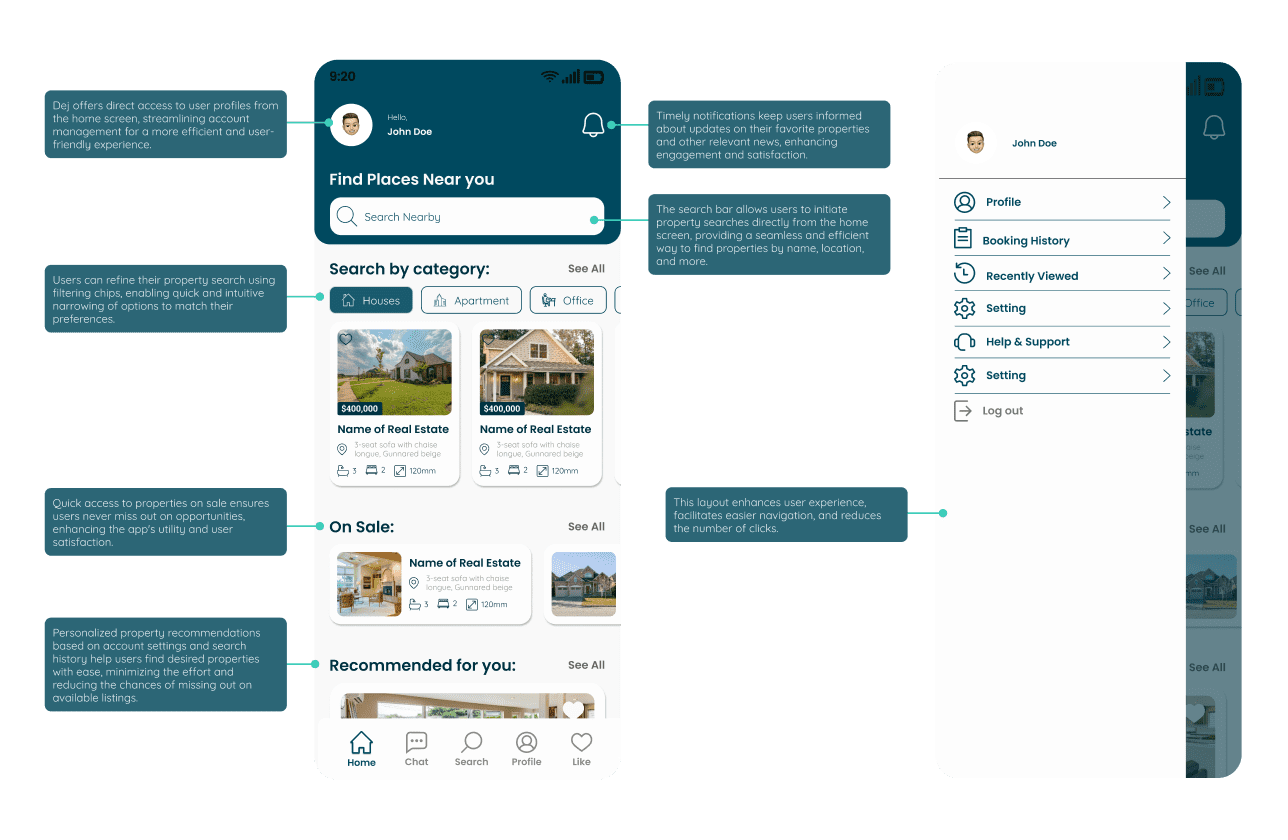
Home Screen

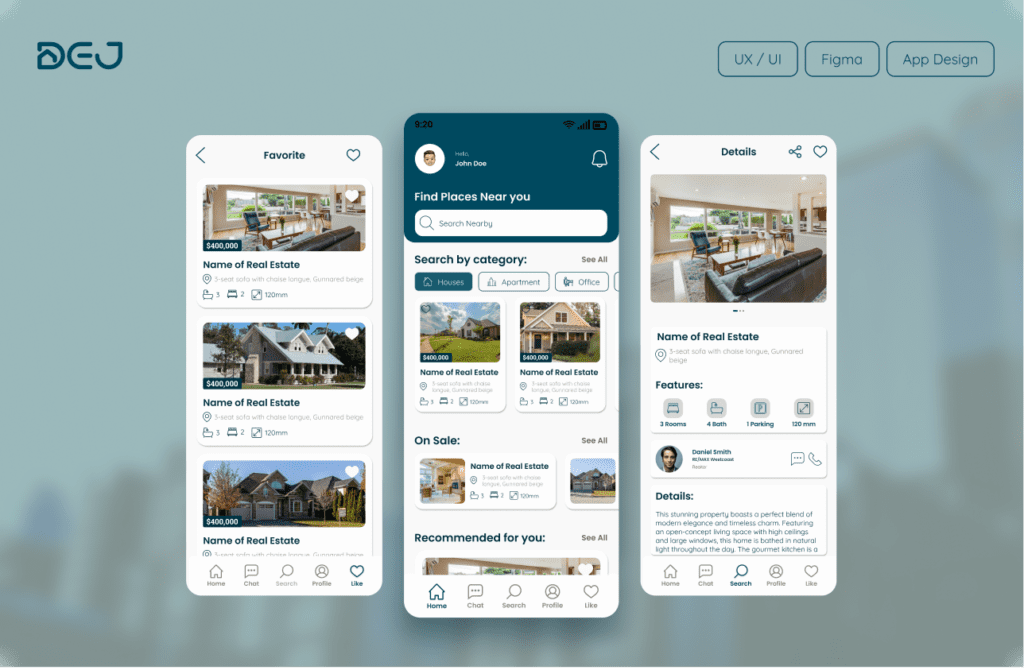
The home screen serves as the central hub where users can access key features and navigate various aspects of the platform.

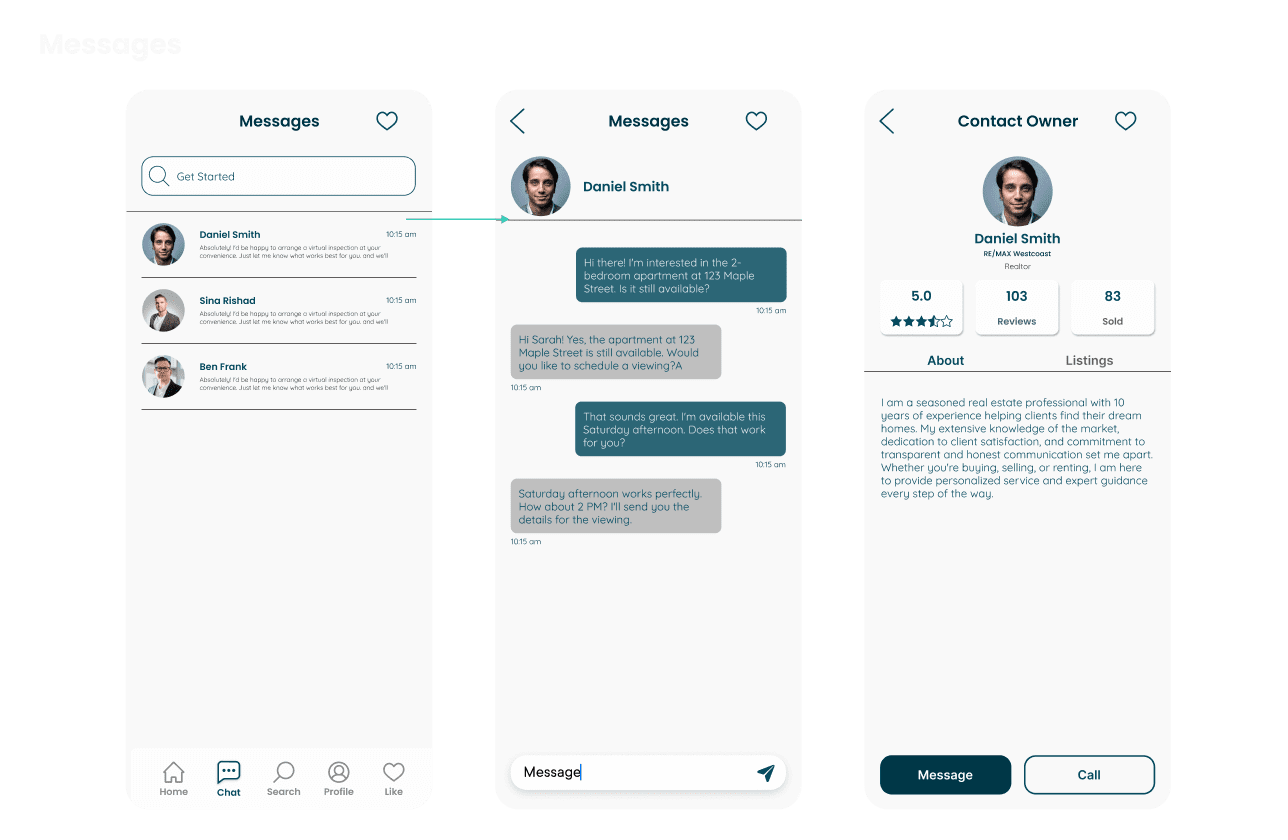
Messages Screen

The Messages screen facilitates seamless and secure communication between users and property managers, allowing users to ask questions, schedule viewings, and negotiate terms.

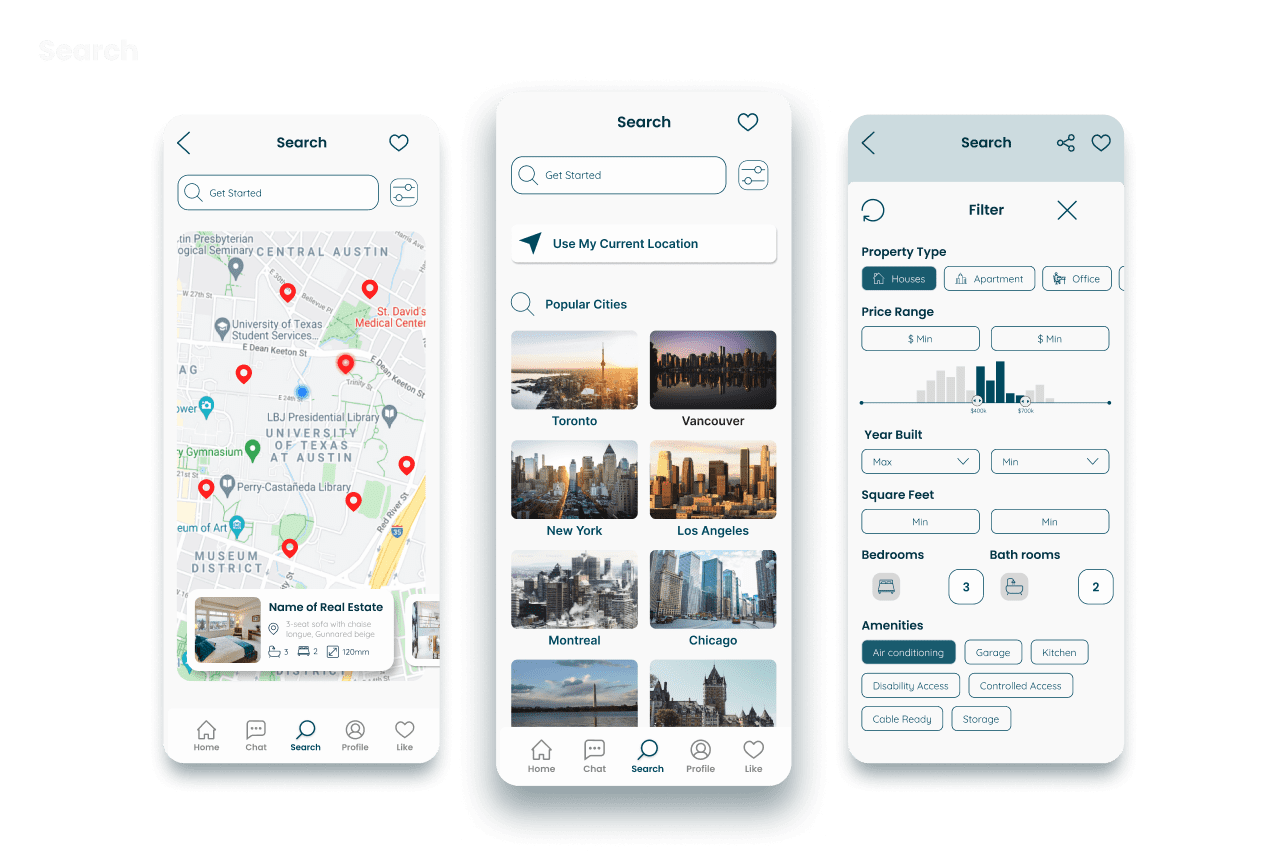
Search Screen

The search screen enables users to find properties based on their current location, apply detailed filtering options to narrow results, or search in specific cities to find properties that match their needs.

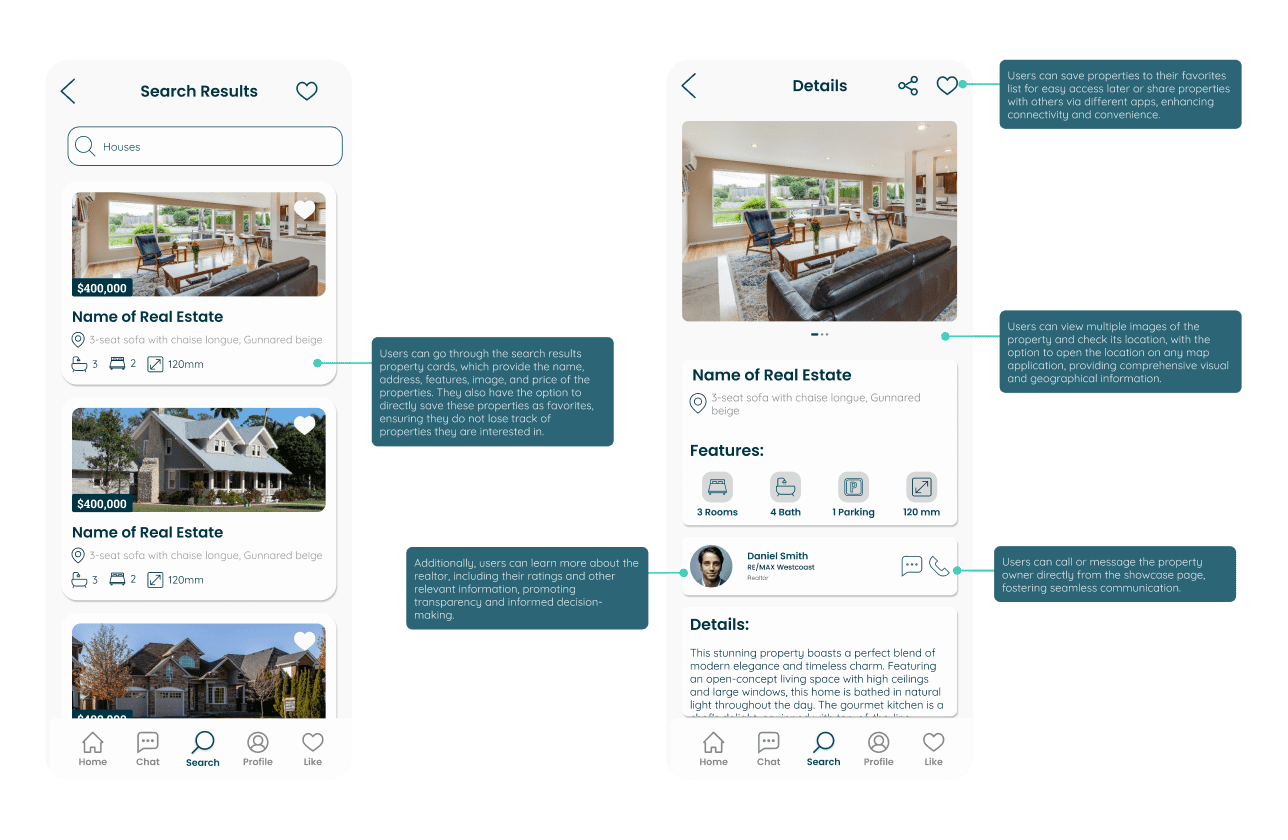
Showcase Screen

The showcase screen provides detailed information about a property and its owner/realtor, including property images, features, price, and the ability to share or save the property into favorites. Users can also contact the owner/realtor directly or learn more about them.
circle-icon 1

Out come

The outcome of this project was a mobile app concept designed to make the real estate journey more efficient, intuitive, and user-centered. By combining property browsing, direct communication, and essential listing details within one cohesive experience, the design helps simplify a process that is often fragmented and overwhelming. The final result reflects a balance between usability and visual clarity, creating a cleaner and more engaging platform for users searching for properties and interacting with real estate professionals.

Other Projects

DevelopmentUX/UIWeb Design